


-
You are here:
- Baby's Days

- System Features ▼
- System Features C to C
CPD Log
CPD (Continuing Professional Development) Log

Shown below is detailed information and a selection of screenshots taken from the CPD Log section from both versions of the Baby's Days system.
Available on the following systems:


To view screenshots and information from other areas of the system, click on any link to the right.
The CPD (Continuing Professional Development) Log section on the system allows you to track and document the skills, knowledge and experience that you have gained both formally and informally as you work, beyond any initial training. It's a record of what you experience, learn and then apply.
Key Areas of the CPD Log section
Add unlimited records to your CPD Log.
The total duration of your CPD Log entries is automatically calculated on the overview page.
The date the CPD Log entry was added to the system is displayed.
The name of the administrator who created the CPD Log entry is displayed.
AI Integration within the CPD Log

AI – Artificial Intelligence has been integrated into the system’s CPD Log section to make adding your record faster, easier, and more professional. Simply enter the text of the activity and outcome or provide a set of specific keywords that you would like included. The system will then analyse your input and produce a polished, well-structured version of your record. Using advanced AI technology, the system ensures that your record is clear, consistent, and free of errors, while also maintaining a professional tone.
AI - Artificial Intelligence is optional on the system, if you do not want to use AI, simply turn it off within the general settings section on the system.
Screenshots and more Information
Shown below are a selection of screenshots and additional information relating to the CPD Log section on the system.
CPD Log
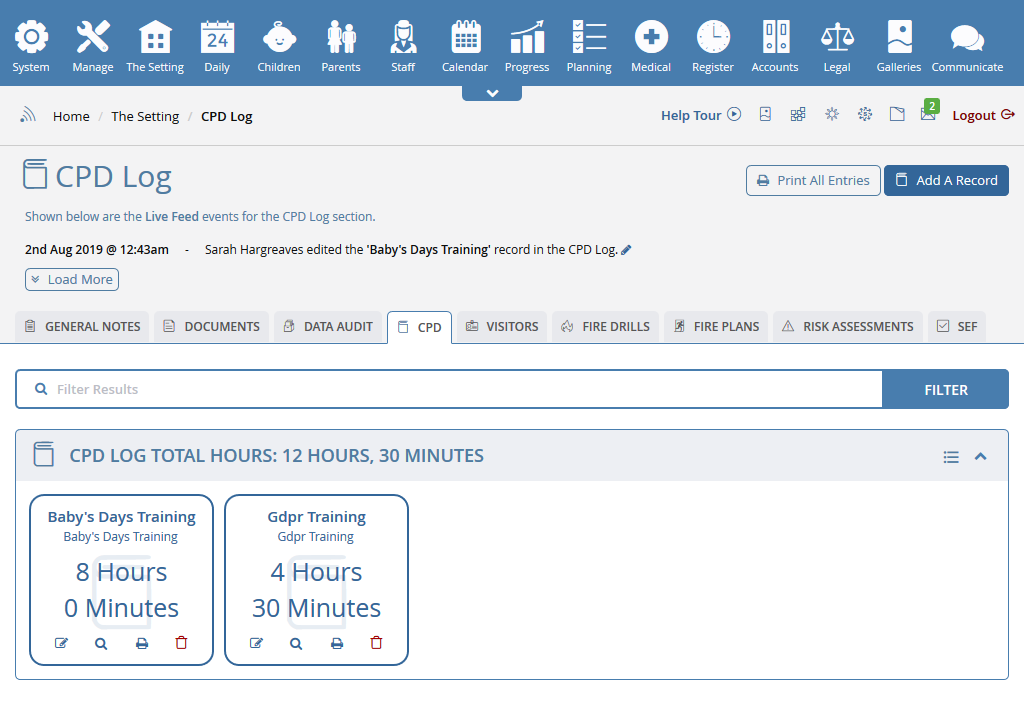
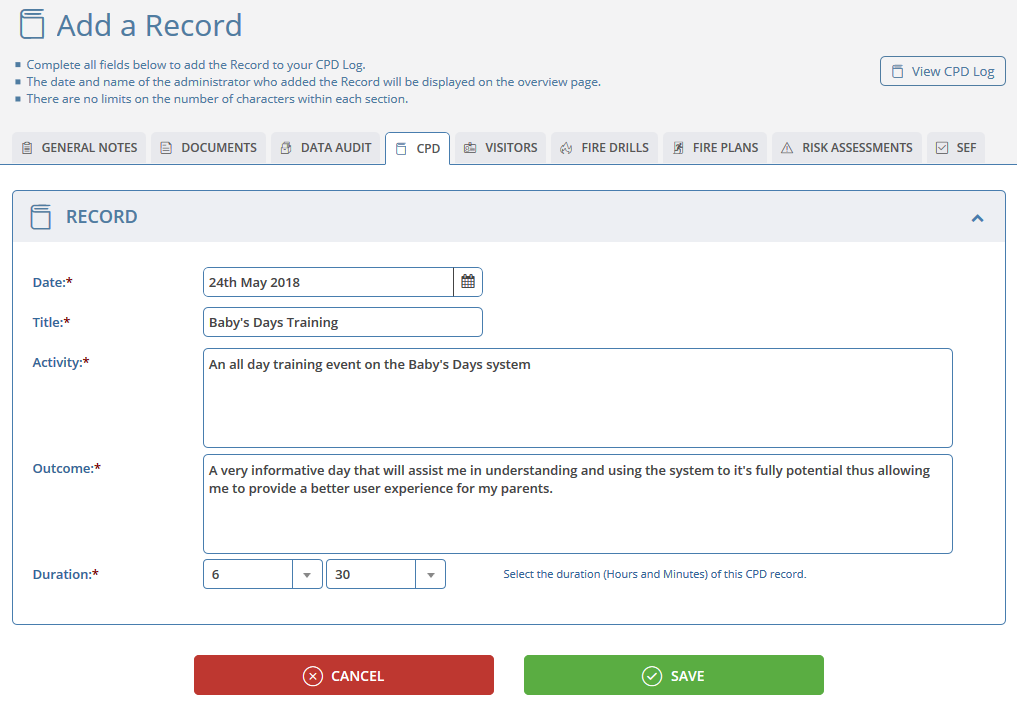
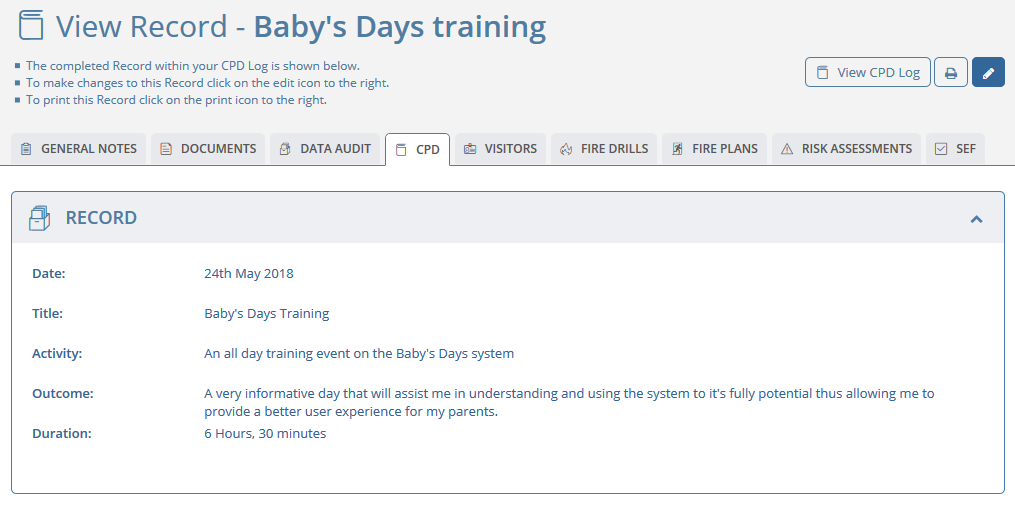
For each Record within your CPD Log you will see some basic information including the date, title, the first few words of the activity, the name of the administrator who added the Record along with the duration of the Record, ie: how long the training or event lasted.
The total CPD hours shown at the bottom of the table is the total number of hours and minutes of all the records within the CPD Log, this sum cannot be edited as it is automatically calculated from the Records that have been added to the system.
 2 Year Check
 Accounts / Bookkeeping
 Achievement Search
 Administrators
 Assistant's Register
 Attendance Register
 Authorised Persons
 Birthdays
 Bottle Feeds
 Bulk Download
 Bulk Photographs
 Calendar
 Care Plans
 Children
 Children's Notes
 Colour Schemes
 Communicate
 Compliments and Complaints
 Concerns
 Contracts
 Control Centre
 CPD Log
 Daily Actions
 Daily Checklist
 Daily Diary
 Daily Notes
 Data Audit
 Document Upload
 EY Outcomes Search
 Evacuation List
 Fire Drills / Plans
 First Aid Boxes
 Food Menus
 Food Menu Helpers
 Import / Export
 Included Sections
 iSign
iSign Leaving Children
 Medical
 Next Steps - England
 Observations - England
 Occupancy Levels
 Parental Access
 Permissions
 Personalise
 Photograph Galleries
 Photograph Collage
 Planning - England
 Policies
 Progress / Learning
 Progress Statistics
 Progress Tracker
 Questionnaires
 Quick Notes
 Risk Assessments
 Rooms
Rooms Room Move Children
 SEF - England
 Sleep Monitor
 Starting / Baseline
 Suncream Monitor
 Temperatures
 Termly Reports
 Toileting Monitor
 Vaccinations
 Video Galleries
 Visitor's Log
 Waiting List
 Wellbeing / Achievements


Click an icon below to see a system feature
With over 100 available features on every Baby's Days system, select one below that you'd like to read about first.


































































THE ONLY THING WE CAN'T DO IS DECIDE WHICH PACKAGE IS BEST FOR YOU